Your best clients come from referrals. Know exactly who sent them.
Most advisors and agents win much of their new business from existing clients and professionals like CPAs, estate planning attorneys, and mortgage lenders, then lose track of it in CRM notes, emails, and voicemails. ChamberForge keeps every referral in one place, follows it from first introduction to a new account or policy, and shows you which relationships to invest in.
Free for individual advisors and agents. Organization plans for practices and agencies at $15 per user per month.
Start Tracking for Free See Pricing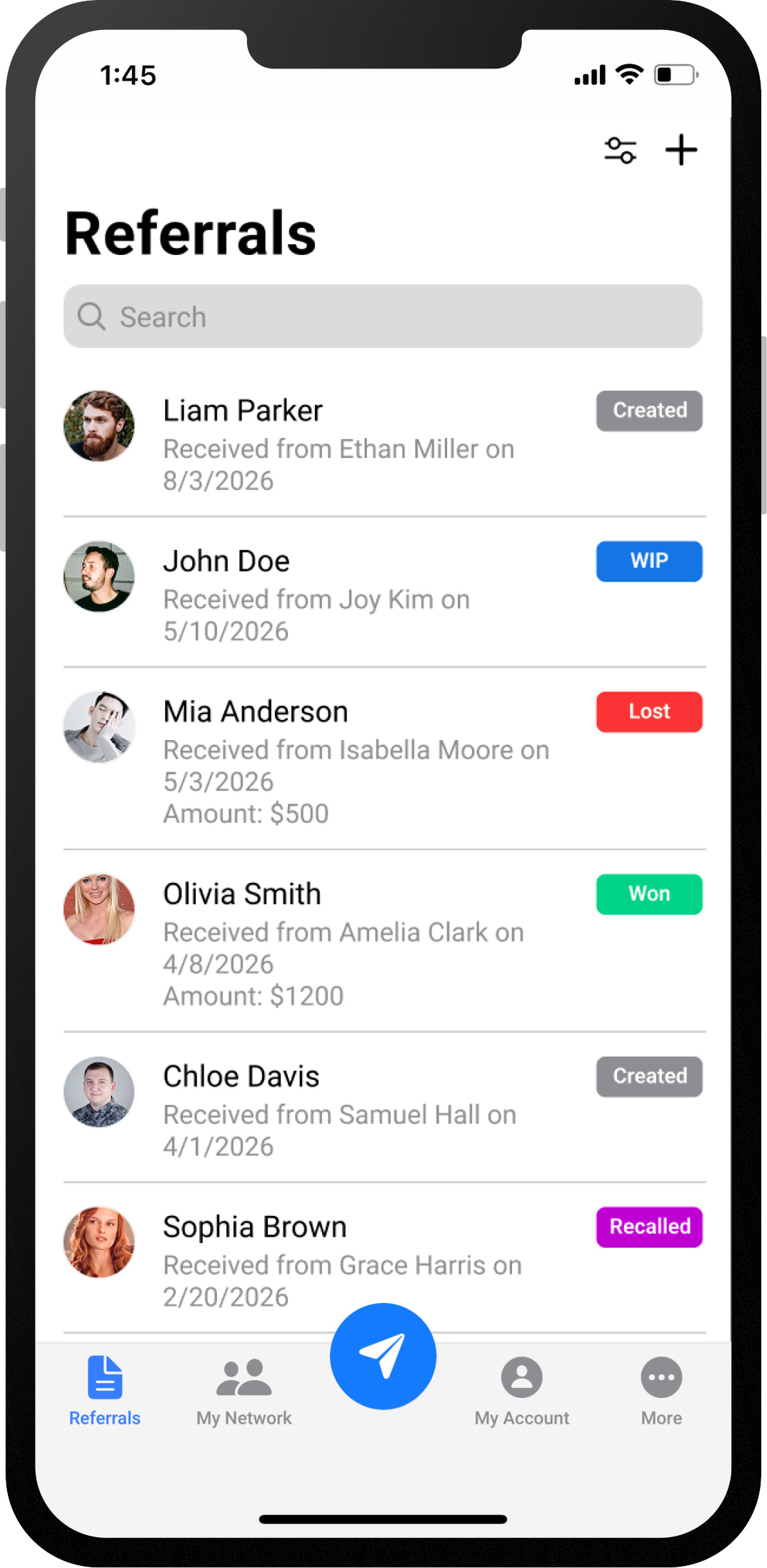
Referrals run your business. Spreadsheets shouldn't.
If any of these sound familiar, you're leaving new clients and relationships on the table.
"Who introduced us to this client?"
Referrals come in by phone, email, and introductions at client reviews. By the time the account opens or the policy is bound, nobody remembers who made the introduction.
"Which sources turn into new households?"
You know who sends the most introductions, but not whose referrals turn into new accounts, policies, and assets.
"Did I ever thank them?"
Referral relationships run on reciprocity. Without a record of what you've sent to CPAs, attorneys, and lenders and what they've sent you, it's easy to let one go cold.
See every referral across your practice or agency
An Organization plan gives agency owners and practice leaders the view no single advisor or agent has: where the team's new business really comes from.
Every producer's referrals in one dashboard
See referrals given and received across the team, by advisor or agent and by source, without chasing anyone for a spreadsheet.
Revenue tied to the source, including cross-sells
Record the commission or fees from each referred client, and add more when they buy another policy, roll over an account, or refer a family member. See which sources keep producing year after year.
Relationships that belong to the agency
Keep CPAs, estate planning attorneys, mortgage lenders, and existing clients in a shared contact list, so your referral network doesn't live only in one producer's inbox.
Know where your clients come from. Build the relationships behind them.
Once you know who sends you business, you know who to invest in. Every referral in ChamberForge creates natural reasons to reach back out, from the first introduction to a new client and beyond.
Referral received
Log it and the referral is credited to the person who sent it. They're notified it arrived, so say thanks while it's fresh.
Reviewed and in progress
Your referral source is notified when you open the referral and start working it, so they know the person they introduced is being taken care of.
New client
Mark it won when the account opens or the policy is bound, and send a thank-you with the news. A new client is the best moment to strengthen a relationship.
Feedback
Rate the referral and add a note only you and the referrer can see, so sources learn which clients are the best fit for your practice.
Repeat business
Add revenue as clients buy more or refer family, and see who has been sending you clients for years.
Every step is a touchpoint. Even when a prospect isn't a fit, closing the loop tells the referrer you took it seriously. Over time, your referral history shows you which relationships deserve a lunch, a referral back, or a personal thank-you. Referral sources on ChamberForge get these updates automatically.
Referral tracking built around how advisors and agents work
Capture it. Follow it to a new client. Know who to thank.

Log every referral as it comes in
Record the prospect's name, contact details, and who referred them the moment the introduction happens, from your phone or desk. Existing clients, CPAs, estate planning attorneys, mortgage lenders, and real estate agents: every source in one list.
Keep referral relationships two-way
Track the referrals you send as well as the ones you receive. When you can see the full give-and-take with each CPA, attorney, or lender, it's easy to keep those relationships strong.
A referral link that works around the clock
Every member gets a public profile page with a referral form. Put the link in your email signature, on your website bio, or in your client newsletter, and new referrals arrive already tracked.
Keep client details private
Mark a referral private and its client details are visible only to you, the advisor or agent who received it. The person who referred them still sees the status, so they know how it turned out.
For individual advisors, agents, practices, and agencies
Advisors & Agents
- Track referrals and contacts on the free Single User plan
- Share your referral link with clients and referral partners
- Join your practice's or agency's organization, or your networking group
Practices & Agencies
- Set up your practice or agency as an organization and see every producer's referrals in one dashboard
- Report on referral-sourced revenue by producer and by source
- $15 per user per month, so you only pay for the people you add
Part of a networking group or advisor study group? ChamberForge also tracks 1-to-1s, meetings, and guests for networking groups. See group plans.
Frequently asked questions
Is ChamberForge free for financial advisors and insurance agents?
Yes. Individual advisors and agents can track referrals and manage contacts on the free Single User plan. Practices and agencies that want shared dashboards and reports can move to an Organization plan for $15 per user per month.
Does it replace my CRM or agency management system?
No, it works alongside it. Your CRM or agency management system handles client records, policies, and service. ChamberForge focuses on where your business comes from: who referred each client, whether they became a client, and who you owe a thank-you.
Can our whole practice or agency use it?
Yes. Create an organization for your practice or agency, invite your advisors and agents, and see referral activity and referral-sourced revenue across the team. You pay $15 per user per month.
I'm in a networking group. Can we use ChamberForge too?
Yes. Networking groups can use a group plan to track referrals, 1-to-1s, meetings, and guests across members. Your advisors and agents can belong to your agency's organization and their networking group at the same time.
Should I store account or policy details in ChamberForge?
No. Keep account numbers, policy details, and other sensitive client information in your CRM and custodian or carrier systems. ChamberForge only needs who referred the client, how to reach them, and what came of it.
Does ChamberForge handle referral fees?
ChamberForge tracks referrals and the revenue they produce. It does not pay or collect referral fees. Paying for referrals is regulated for both financial advisors and insurance agents, so follow your firm's compliance policies and the rules that apply to you before offering any referral compensation.
Stop losing track of where your clients come from
Free for individual advisors and agents.
Organization plans for practices and agencies at $15 per user per month.