

Recurring Revenue
For a while, our community has been asking for a way to capture recurring revenues. Recurring revenues usually generate from selling subscriptions or selling insurance policies where revenues come in month to month. Some of our users who fall in that category have been asking us if ChamberForge can support recurring revenues. We've finally built that in and it is ready for you.
To use this feature, when you report revenue, simply check the checkbox that says "Repeat monthly"
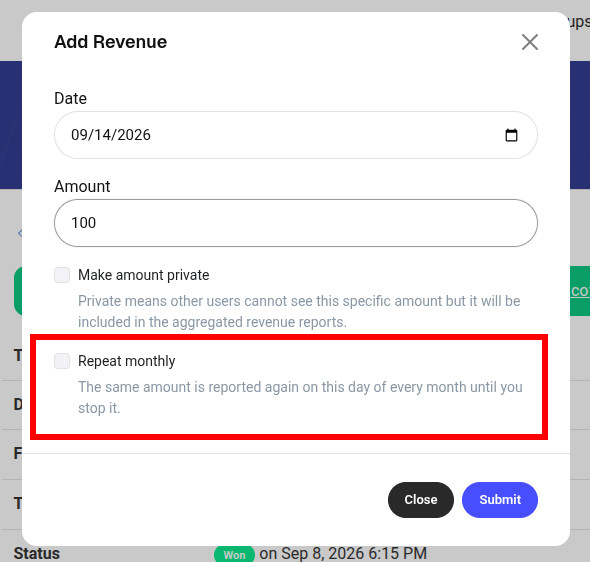
When this is enabled, the revenue amount you provide will be added again each month on the same day. For example, if you add $50 on 9/18, the system will automatically add $50 on 10/18, 11/19, and 12/19 and so on.
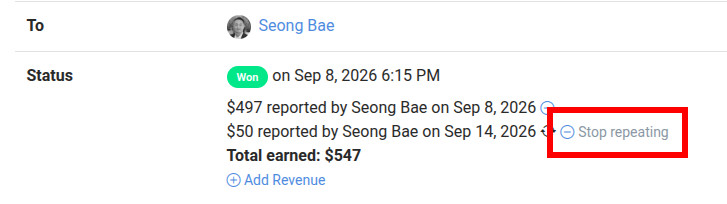
To stop recurring revenue, simply click on the "Stop repeating" link next to the revenue that has recurring revenue enabled.
Lost Report
We also recently added what we're calling the "Lost Report". It basically summarizes the reasons for lost referrals to help you better understand why referrals not are converting for your members. We added this report to see if there are any glaring trends on why referrals are not converting. Is it that the leads are not responsive? Or maybe pricing? Once you understand the trends, maybe you can help your members with some tips on what to do when leads are not responsive or how to stay ahead of their competition.
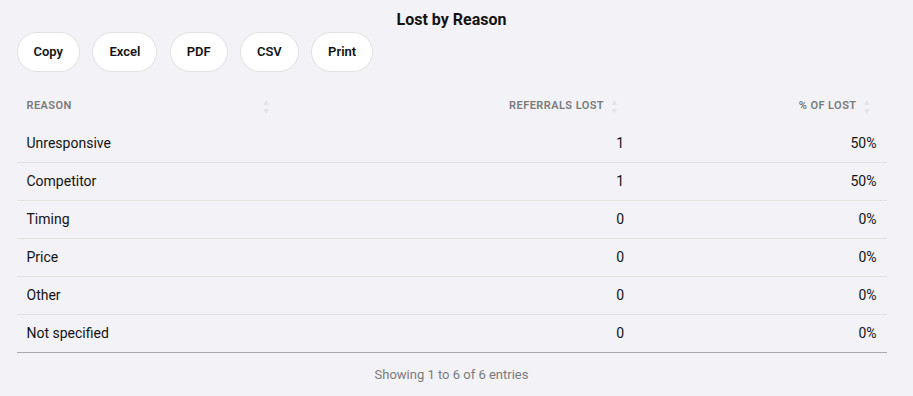 This table looks at all the lost referrals and places them in each category of lost reason.
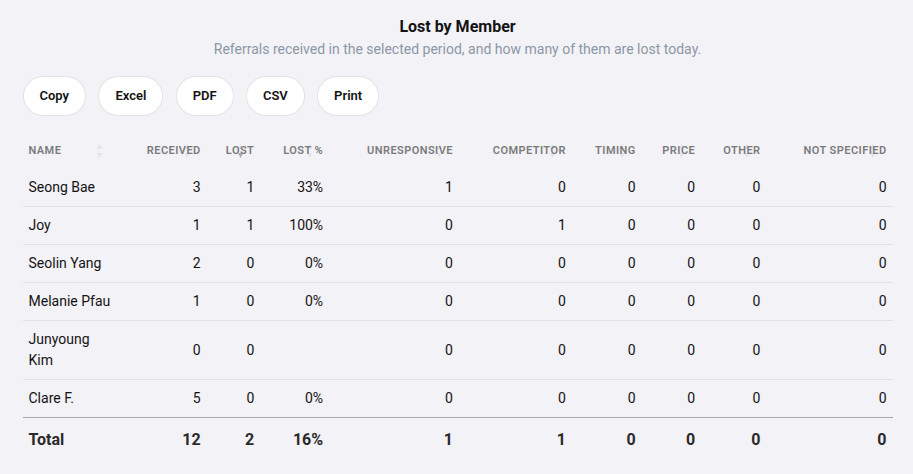 This table goes into more details on each member and their lost reasons.
I hope that you find these two new features helpful for your group. If you have any ideas on how we can improve our platform, please drop a line.